On-device transcription for iPhone
Your recordings never leave your phone
Apograph records, transcribes, tells apart who said what — and gives you a transcript you can edit in place: fix a word, a name, a whole sentence. All on the device, in 99 languages; everything works in Airplane Mode. Nothing is uploaded, ever.

Free on iPhone · iOS 18.6 or later · Pro is a one-time purchase
What it's for
Made for the recordings you actually make
Meetings
Record the room or import the file. Speaker separation tells the voices apart, so the transcript reads as a conversation — who said what, searchable and exportable.
Interviews and podcasts
Timed sentences with clean turns, ready to quote. Fix a mangled name once and the dictionary spells it right in every later recording.
Lectures and long talks
Set Auto-stop and let it run — hours are fine. Transcription survives interruptions and force-quits, and you can read the finished part while the rest is still decoding.
Voice notes and ideas
Press the Action button, talk, done. The idea comes back as text you can search in History — not an audio file you will never replay.
Videos you saved
Pick a video from Photos or Files and Apograph transcribes its audio track. SRT or VTT subtitles for it are one export away.
Notes in other languages
Dictate in any of 99 languages and let auto-detection sort it out — even when yesterday's note was in a different language than today's.
How it works
Record. Transcribe. Read
- 1
Capture or import
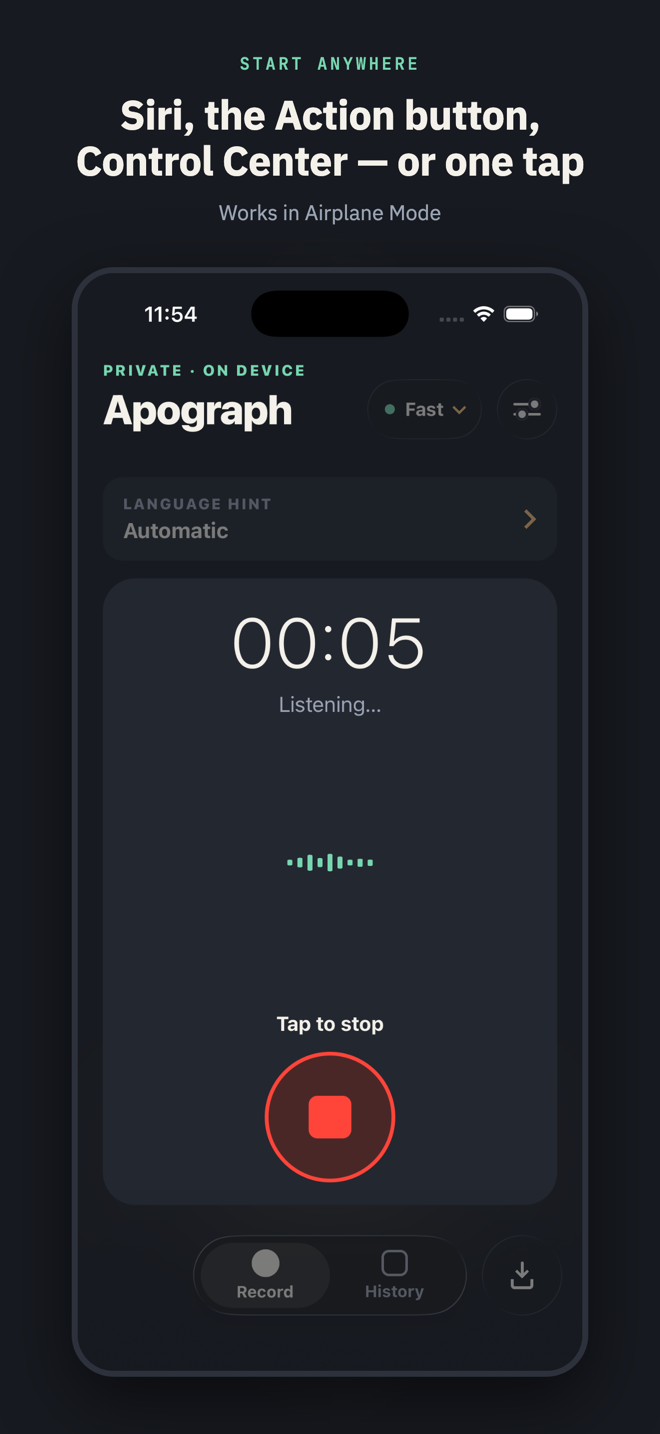
Tap record, ask Siri, or press the Action button. Or bring in audio and video — a Voice Memo, a meeting, a saved lecture — from Files, Photos or the share sheet.
- 2
Transcribed on the iPhone
OpenAI Whisper models run locally on the GPU. Speech is found first, then decoded with fixed settings — stable results, with no random drift between runs.
- 3
Read, fix, export
Timed sentences, tap-to-play sections, edits made right in the transcript, a spell checker that learns your names, and export as text, Markdown, PDF or subtitles.
Start anywhere
Recording starts where you are, not where the app is
Quick Record is a system-level App Intent, so the whole iPhone can start a capture — the app opens already listening.
Action button
Map it to Quick Record and start from the side of the phone.
Siri
A spoken phrase starts a recording hands-free — localized, handled on the device.
Shortcuts
Drop Quick Record into any Shortcut or automation you already run.
Control Center
One tile, one tap, recording.
Lock Screen
A Lock Screen control starts the capture the moment you unlock.
Share sheet
Send audio or video from any app to “Transcribe with Apograph”.
Files and Photos
Import any audio file, or a saved video by its audio track.
Features
Everything a transcript needs, nothing that phones home
99 languages, detected automatically
Any Whisper language, regardless of your iPhone's system language — including languages the iPhone's built-in transcription doesn't support. Auto-detection votes across the recording and corrects itself when it guesses wrong.
Three model tiers
Fast ships in the app. Balanced and Best download once and stay on the device. The picker chooses the right variant for your iPhone's memory.
Timed sentences and playback
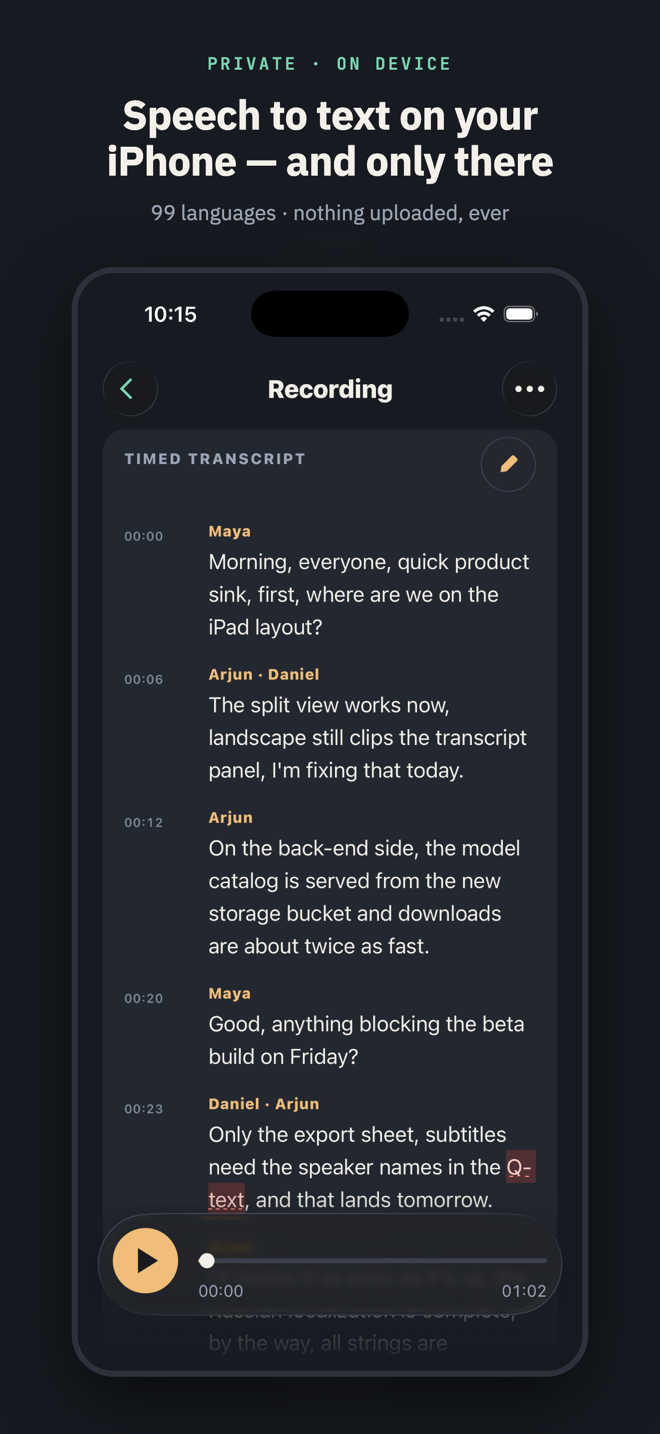
Every sentence carries its time. Tap one to hear just that passage; scrub anywhere; the text follows the audio only when you ask it to.
Edit the transcript in place
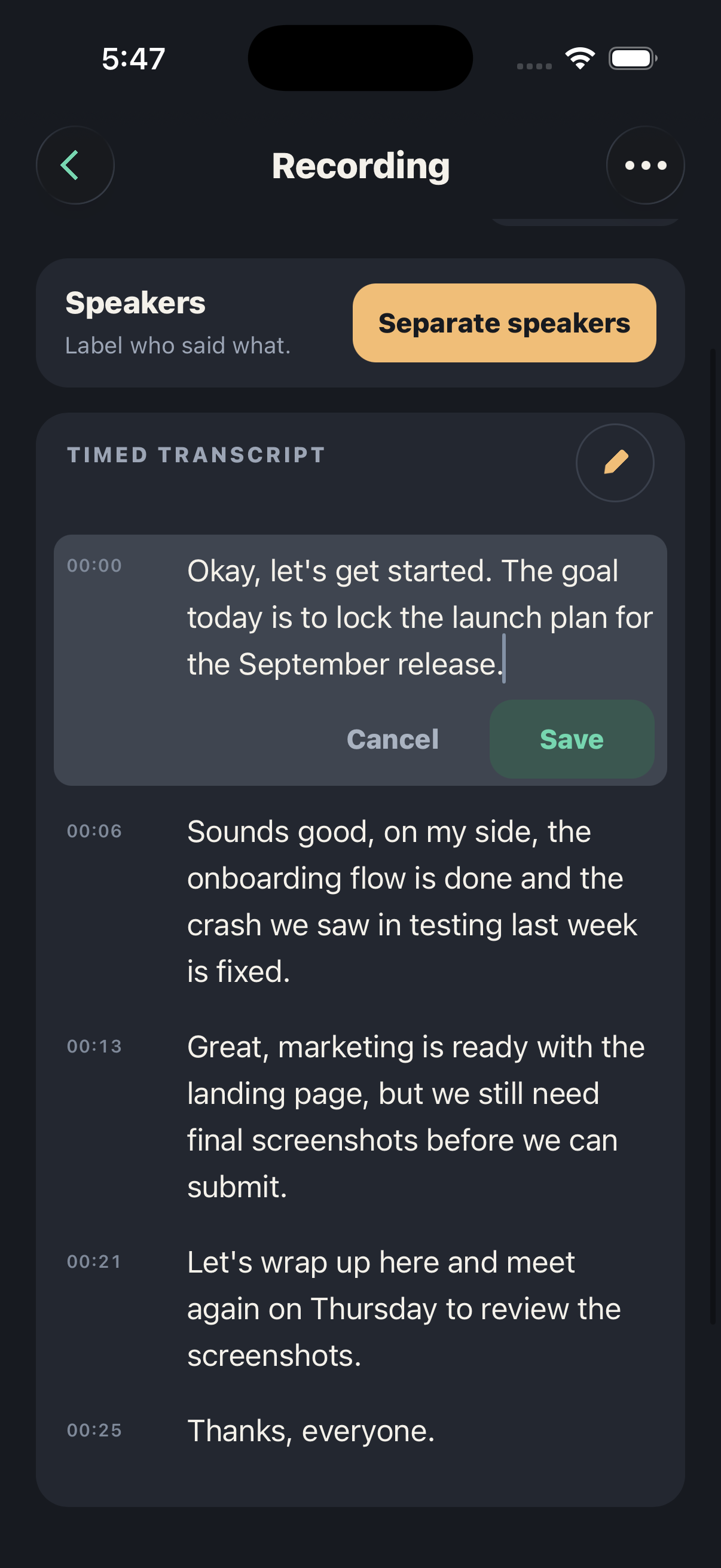
Fix a word, a name, a whole sentence — right in the timed transcript, keeping the timings. Flagged words take one tap to review; bigger rewrites get a full edit mode.
Spell check that learns
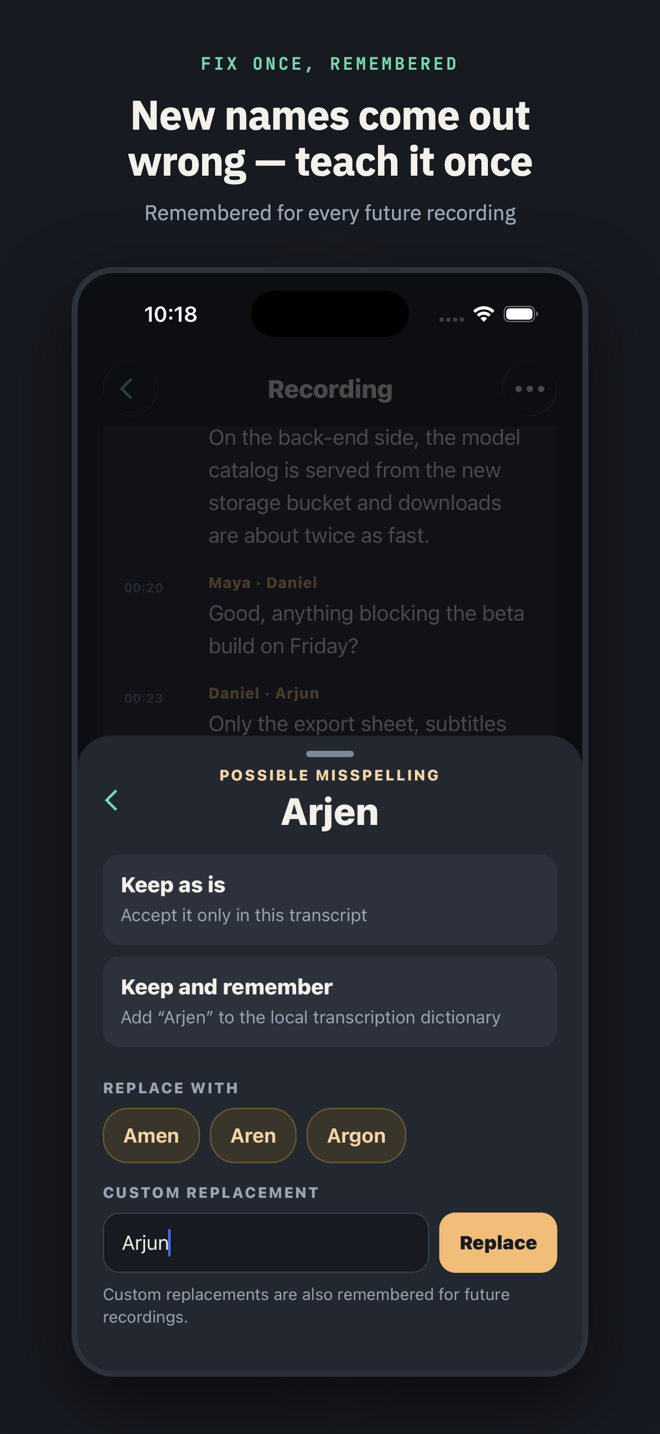
Suspicious words are underlined with the system spell checker's suggestions. Keep, replace, or remember a term — remembered words are fed back to the model on the next recording.
Retranscribe with Best
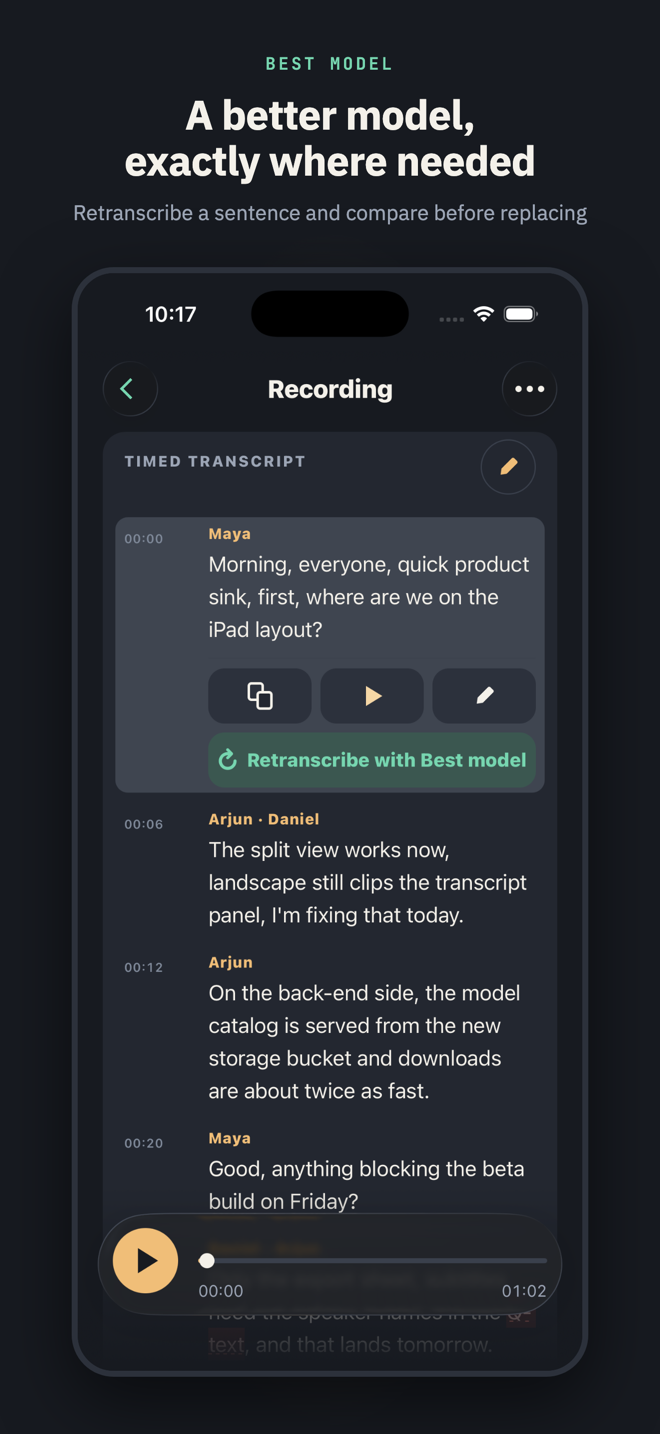
Rerun a whole recording — or a single sentence — with the Best model, and compare the result before replacing anything. Free on five recordings; unlimited with Pro.
Speaker separation PRO
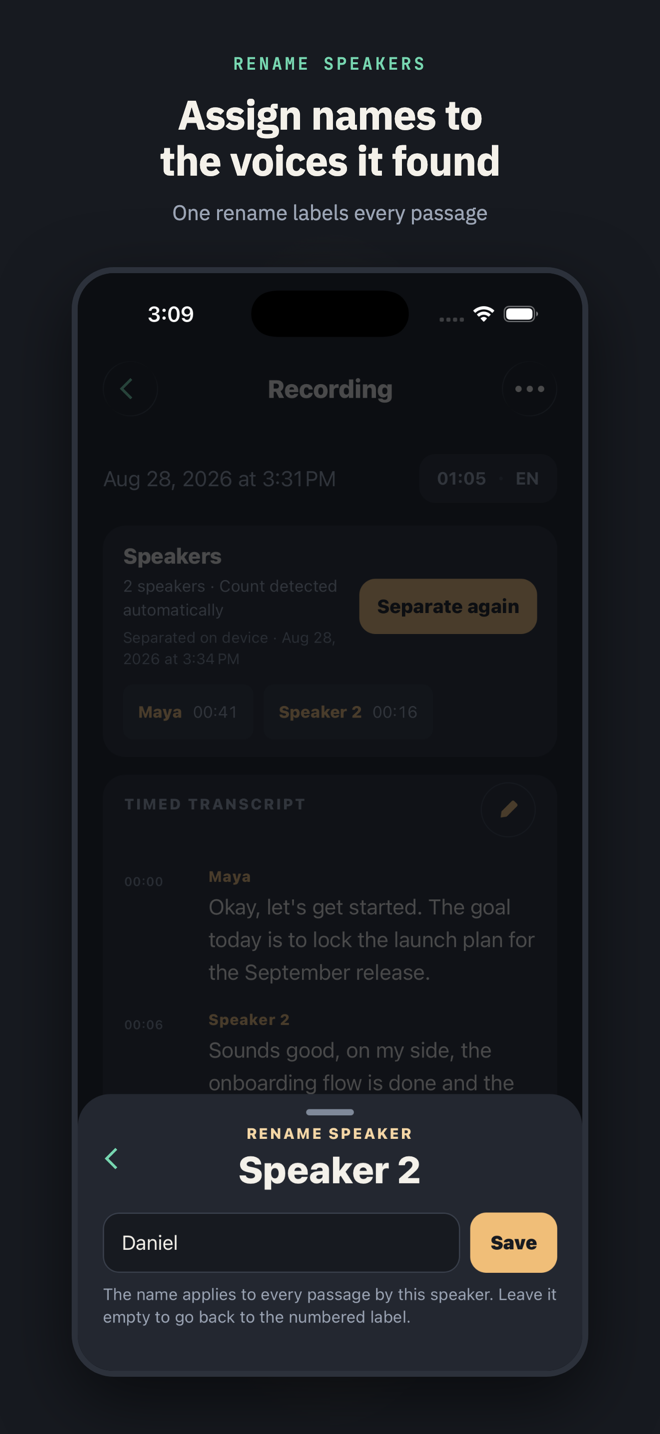
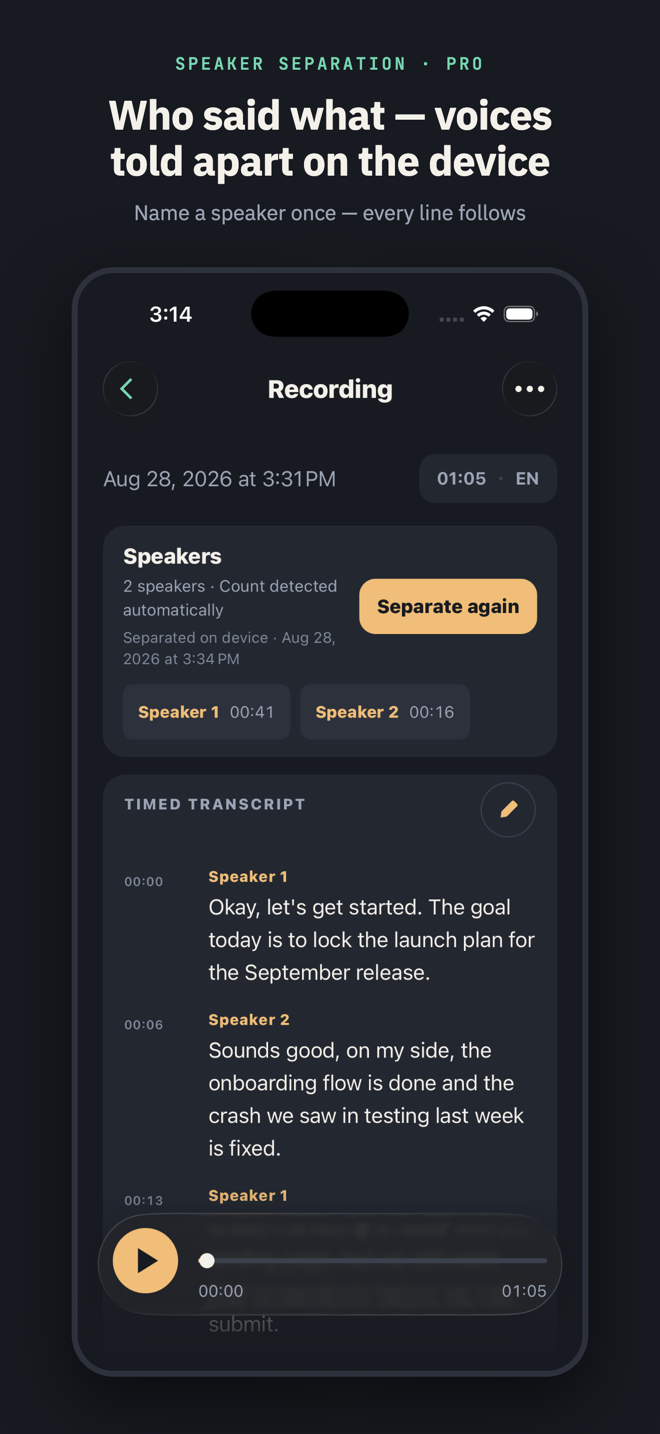
Who said what: the voices within a recording are told apart on the device and labeled for you to rename. It separates voices — it never identifies whose voice it is, and nothing is compared across recordings. Try it on three recordings free.
Subtitle export PRO
SRT and WebVTT with real timings, alongside plain text, Markdown and PDF for everyone.
Auto-stop and a storage reserve
Cap a long recording to the minute, hands-free. The capture also stops itself — saved and transcribed — before your iPhone runs out of space.
Your files, in Files
Every recording is a plain folder in the Files app — audio, metadata and transcript.txt — with readable date names. Store them in any folder you choose.
Lock Screen and Dynamic Island
A Live Activity shows the running timer — and, with Auto-stop set, when the recording will end — with a Stop control while you record.
Screens
A transcript you can actually work with
Privacy
Private by construction, not by promise
No account, no server
There is nothing to sign up for and nowhere for your audio to go. Transcription, speaker separation and spell check all run on the iPhone.
No analytics, no trackers
The app contains no analytics or advertising SDKs. The only network traffic is downloading a model you asked for, and the App Store handling your purchase.
Yours to keep
Recordings live in the Files app, in a folder you can move, back up or delete like any other. Delete the app and the files you moved out stay yours.
Pro
Pay once. Keep it forever
Apograph is free with unlimited recordings, the Fast and Balanced models, every language and every export except subtitles. Pro is a single purchase through the App Store — no subscription, no renewal.
Free
- Unlimited recordings and imports
- Fast and Balanced models
- 99 languages with auto-detection
- Timed sentences, playback, spell check
- Text, Markdown and PDF export
- Best on 5 recordings — full or per-section
- Speaker separation on 3 recordings
Pro · one-time purchase
- Everything in Free
- Best model — the highest transcription accuracy
- Unlimited speaker separation — who said what
- SRT and WebVTT subtitle export
- Unlimited Best re-transcriptions
The price is shown in the App Store in your local currency.
Questions
Frequently asked
Does it work offline?
Yes. Recording, transcription, speaker separation and spell check all work in Airplane Mode. You need a connection only to download the Balanced or Best model the first time.
Which iPhones are supported?
Any iPhone running iOS 18.6 or later. The Best model needs more memory; the model picker tells you which tiers fit your iPhone before you download anything.
Is my audio uploaded anywhere?
No. Audio and transcripts never leave the device. See the privacy policy for the complete list of what the app does and does not send.
Is Pro a subscription?
No. Pro is a one-time purchase tied to your Apple Account. Reinstall on a new iPhone and tap Restore Purchases.
Can I get my files out?
They were never in. Every recording is a folder in the Files app containing the audio, a transcript.txt and the metadata. Export sheets add Markdown, PDF, SRT and VTT.
Does it recognize who is speaking?
No, and it cannot. Speaker separation (the technique is called speaker diarization) only tells the voices within one recording apart — Speaker 1, Speaker 2 — so you can rename them. There are no voiceprints, nothing is compared across recordings, and nothing leaves the phone.
How accurate is speaker separation?
It works best on meetings and interviews with clear turns. On recordings made of very short exchanges, the app warns you and suggests telling it how many people spoke.
Transcribe privately
Free on the App Store. Nothing uploaded, ever.
Free download · iOS 18.6 or later